Continues Testing
The Continues Testing menu manages scheduled testing activities and custom events, offering a calendar view of planned and ongoing activities.
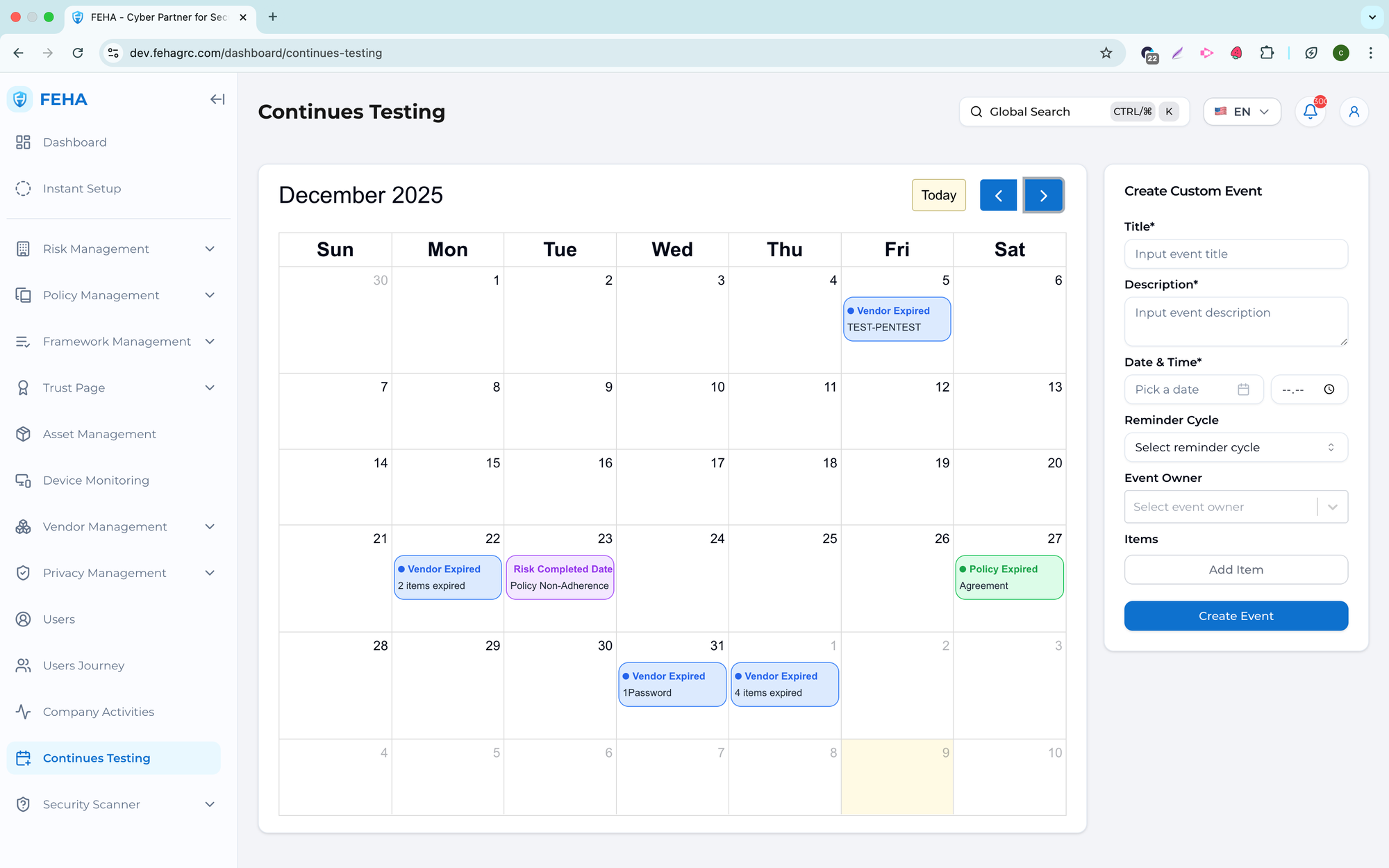
Adding a Custom Event
This section outlines the steps to create a custom testing event.
- Navigate to the Continues Testing page.
- Fill out the Create Custom Event form with the required information.
- Select Create Event to save.
Note: Custom events appear on the testing calendar once created.
Viewing Event Details
This section explains how to view details for a scheduled event.
- Navigate to the Continues Testing page.
- Select an event card on the calendar.
- Review the event information displayed in the modal.