Privacy Management
ROPA
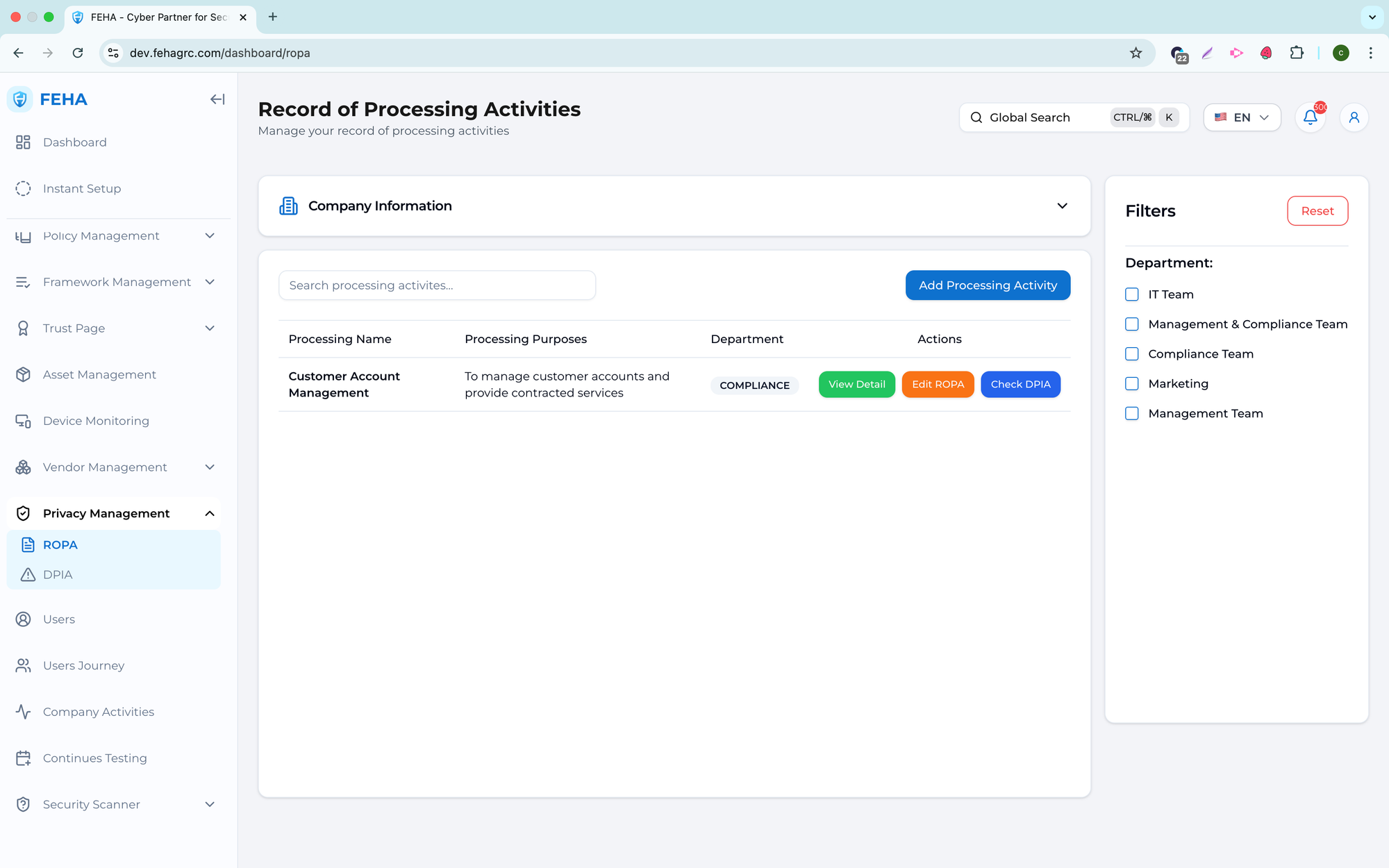
The ROPA submenu manages Records of Processing Activities, supporting documentation, review, and assessment of personal data processing in line with privacy regulations.
Searching ROPA
This section describes how to search for a specific processing activity.
- Open the ROPA page.
- Select the Search field.
- Enter a keyword.
- Review the list of matching ROPA records.
Filtering ROPA
This section describes how to filter ROPA records using available criteria.
- Open the ROPA page.
- Choose values in the filter section.
- Review the list of records that match your selected criteria.
Adding a New ROPA
This section describes how to create a new processing activity record.
- Open the ROPA page.
- Select Add Processing Activity.
- Complete the processing activity form.
- Select Create to save the record.
Note: Complete all required fields to ensure data accuracy.
Updating a ROPA
This section describes how to update an existing ROPA record.
- Open the ROPA page.
- Select Edit on the relevant record.
- Update the processing activity details.
- Select Update to save your changes.
Checking a ROPA
This section describes how to review a ROPA and, if needed, initiate a DPIA.
- Open the ROPA page.
- Select Check on the relevant ROPA.
- Complete the review form.
- Select Create DPIA to continue.
Note: Creating a DPIA depends on the outcome of the ROPA review.
Viewing ROPA Details
This section describes how to view detailed information for a ROPA.
- Open the ROPA page.
- Select View on the relevant ROPA.
- Review the ROPA details displayed.
DPIA
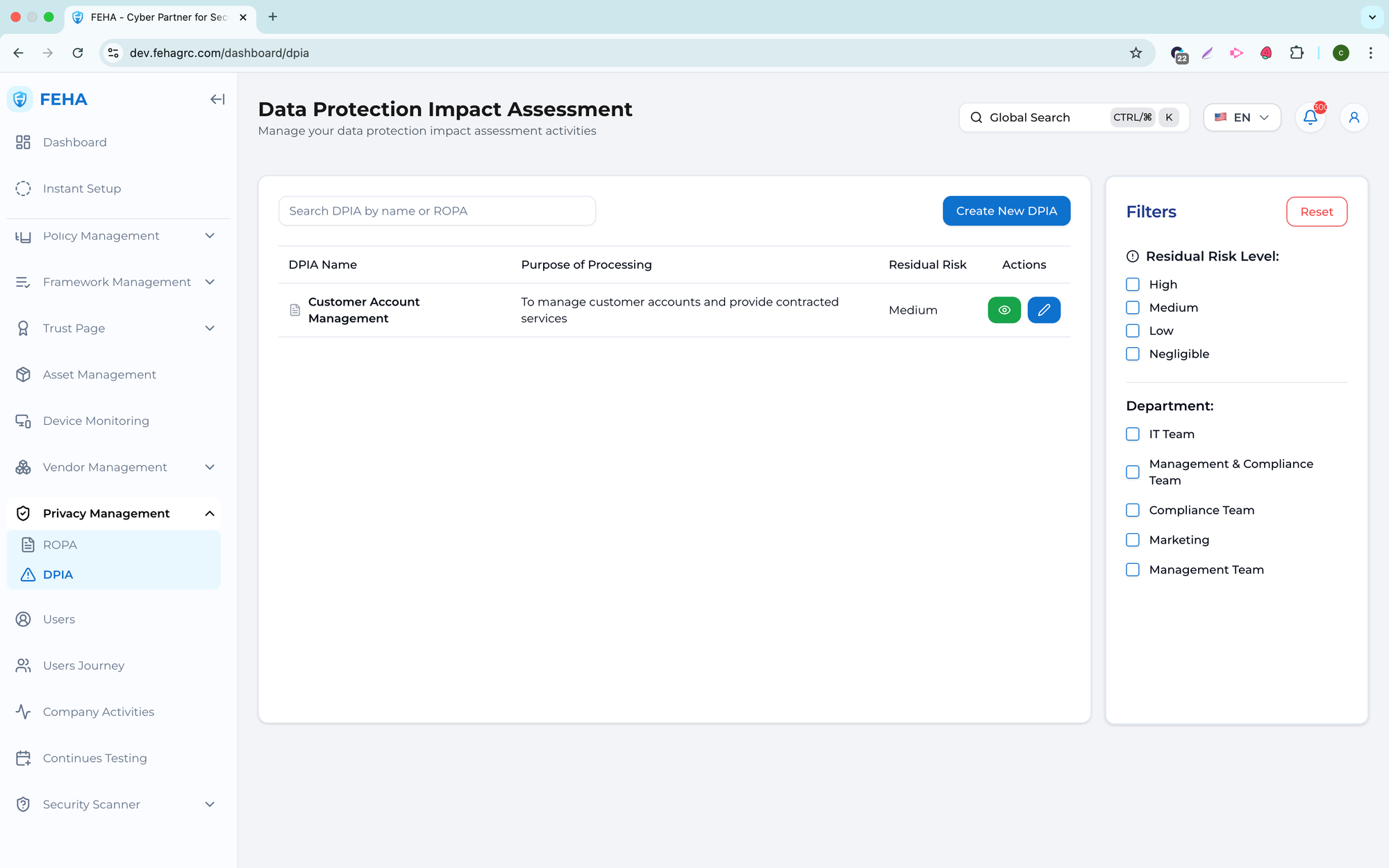
The DPIA submenu allows you to create, review, and maintain Data Protection Impact Assessment records to evaluate privacy risks in personal data processing.
Searching DPIA
This section describes how to search for a specific DPIA record.
- Open the DPIA page.
- Select the Search DPIA field.
- Enter a keyword.
- Review the list of matching DPIA records.
Filtering DPIA
This section explains how to filter DPIA records by available criteria.
- Open the DPIA page.
- Select values in the filter section.
- Review the list of DPIA records that match the selected criteria.
Adding a New DPIA
This section outlines the steps to create a new DPIA record.
- Open the DPIA page.
- Select Create New DPIA.
- Complete the DPIA form.
- Select Create DPIA to save the record.
Note: Create a DPIA record when processing activities involve high privacy risks.
Updating a DPIA
This section explains how to update an existing DPIA record.
- Open the DPIA page.
- Select Edit on the relevant DPIA row.
- Update the DPIA information.
- Select Update DPIA to save changes.
Viewing DPIA Details
This section explains how to view detailed information for a DPIA record.
- Open the DPIA page.
- Select View on the relevant DPIA row.
- Review the DPIA information displayed in the modal.