Device Monitoring
Getting Started with Device Monitoring
What is Device Monitoring?
Device Monitoring allows you to track the status and availability of devices within your organization in real time. This helps ensure that systems are operational, detect issues early, and maintain business continuity.
With Device Monitoring, you can:
- Track device status – Monitor whether devices are online or offline
- Detect issues quickly – Identify downtime or connectivity problems
Device status
Each device is assigned a status based on its current condition:
- Online – Device is active, connected, and functioning properly
- Offline – Device is not reachable or not functioning
What you see in the overview
The device monitoring overview provides key information such as:
- Device name – Identification of the device
- Status – Current state (Online or Offline)
- Last seen – Last time the device was active
- Location / system – Where the device is deployed
- Alerts – Notifications for offline or abnormal behavior
Tip
Pay close attention to devices that frequently go Offline. This may indicate underlying issues such as network instability, hardware failure, or misconfiguration.
Monitoring Employees' Device
The Device Monitoring menu offers visibility into employee devices and their security information. It enables monitoring, synchronization, and reporting to support device compliance and operational awareness.
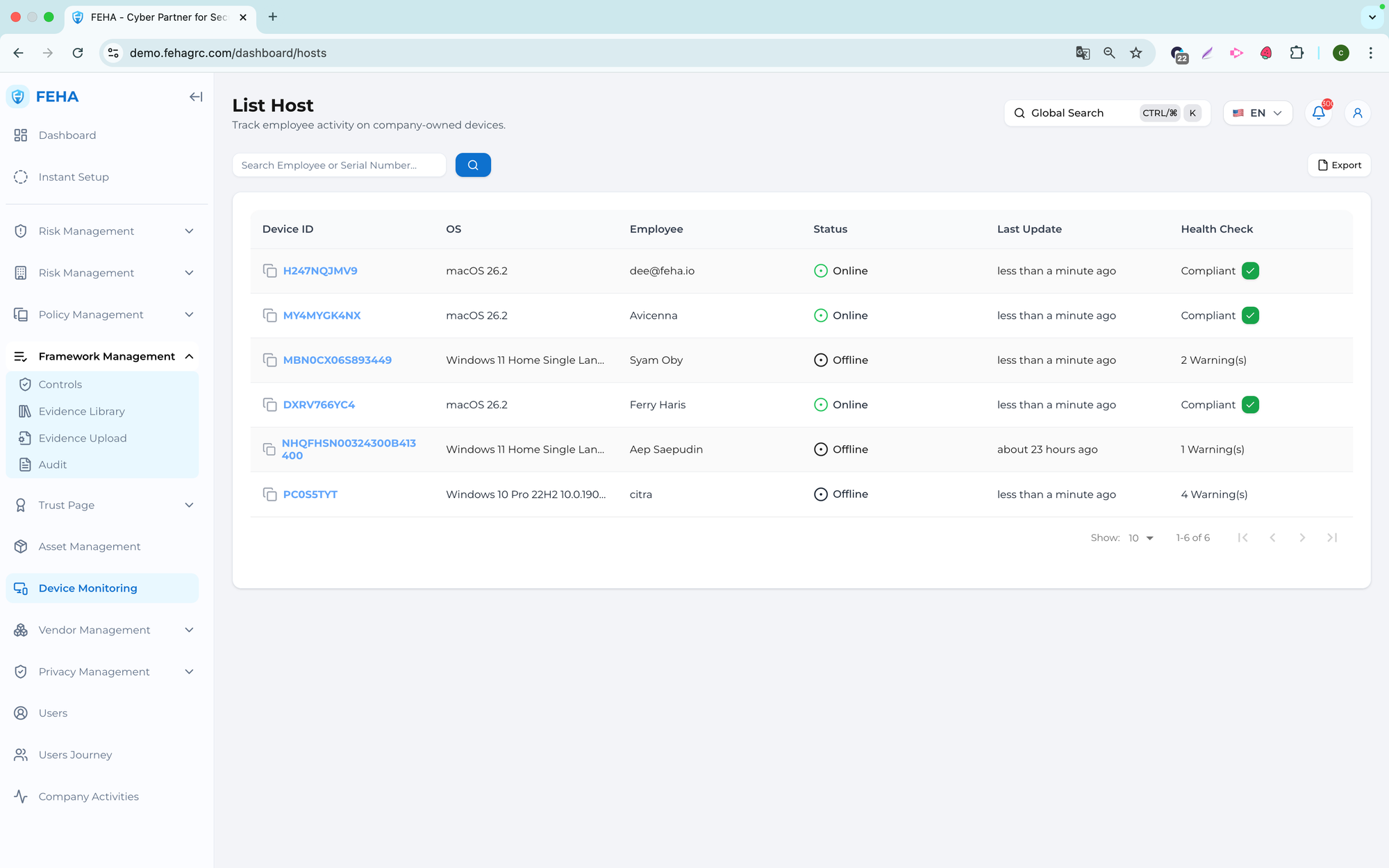
Searching Employee Names
This section describes how to search for a specific employee in the device list.
- Open the Device Monitoring page.
- Select the Search Employee field.
- Enter the employee name or keyword.
- Review the list of results.
Downloading the Device List as an Excel File
This section explains how to export the device list.
- Open the Device Monitoring page.
- Select Export.
- Open the downloaded Excel file from your local storage.
Note: The exported file contains the current device data at the time of export.
Synchronizing Device Data
This section explains how to manually synchronize device information.
- Open the Device Monitoring page.
- Select the relevant device row.
- Select Sync Now to start synchronization.
Note: Synchronization updates the device data based on the latest available information.
Viewing Installed Applications
This case explains how to view applications installed on a selected device.
- Open the Device Monitoring page.
- Select the relevant device row.
- Open the Installed Apps section.
- Review the list of installed applications.