Device Monitoring
The Device Monitoring menu offers visibility into employee devices and their security information. It enables monitoring, synchronization, and reporting to support device compliance and operational awareness.
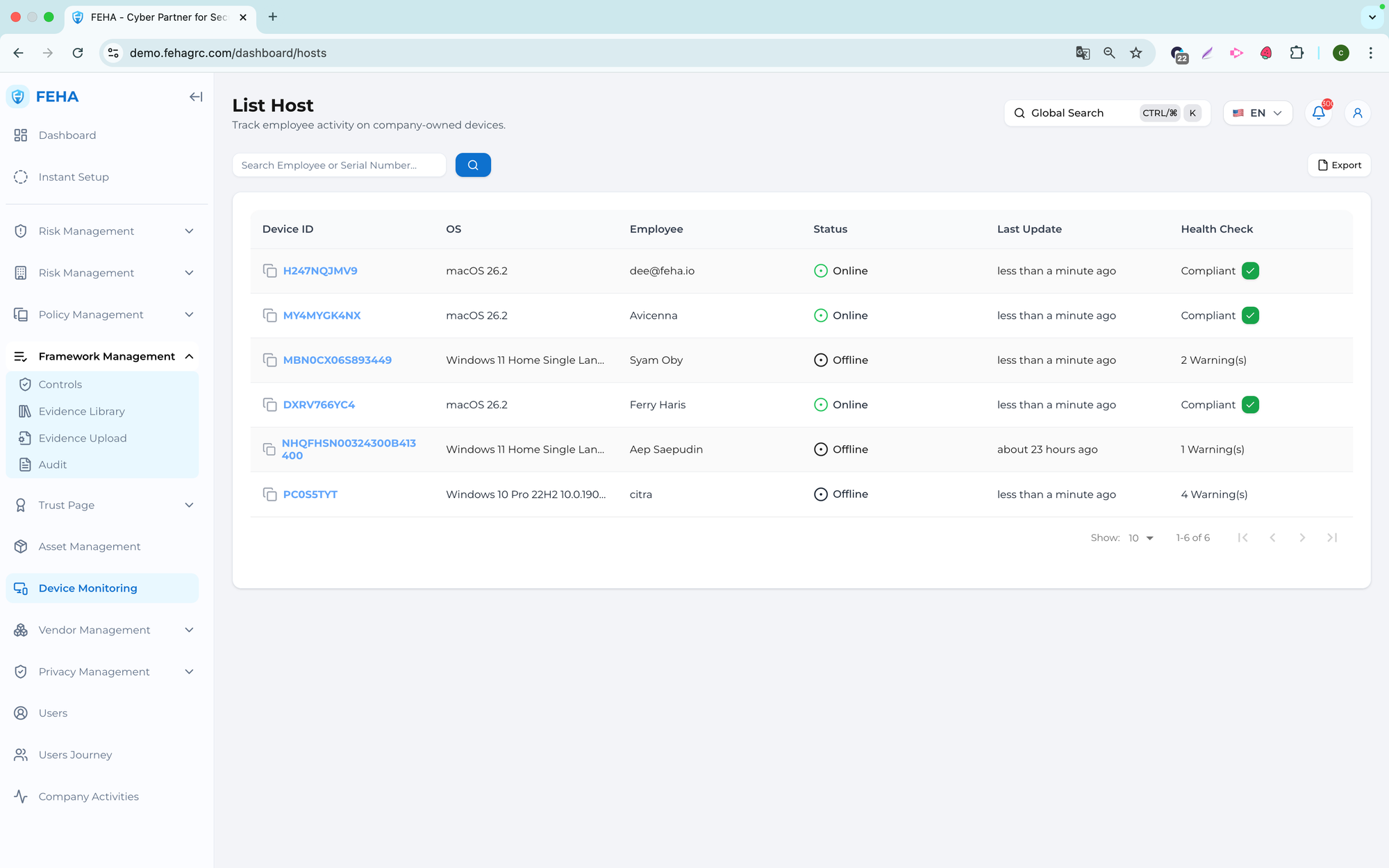
Searching Employee Names
This section describes how to search for a specific employee in the device list.
- Open the Device Monitoring page.
- Select the Search Employee field.
- Enter the employee name or keyword.
- Review the list of results.
Downloading the Device List as an Excel File
This section explains how to export the device list.
- Open the Device Monitoring page.
- Select Export.
- Open the downloaded Excel file from your local storage.
Note: The exported file contains the current device data at the time of export.
Synchronizing Device Data
This section explains how to manually synchronize device information.
- Open the Device Monitoring page.
- Select the relevant device row.
- Select Sync Now to start synchronization.
Note: Synchronization updates the device data based on the latest available information.
Viewing Installed Applications
This case explains how to view applications installed on a selected device.
- Open the Device Monitoring page.
- Select the relevant device row.
- Open the Installed Apps section.
- Review the list of installed applications.